
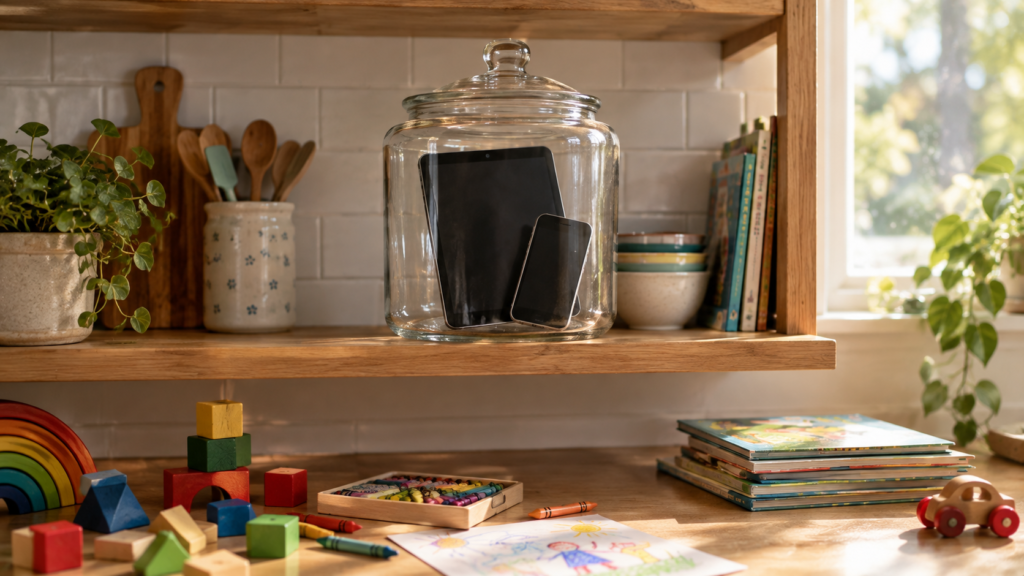
How to reduce screen time for kids is a question I asked myself every evening for weeks. In my last article, I shared our screen time rules by age and the month that made us create them. But rules are only half of the story. The real question is: how do you make them work?
I have two daughters, 9 and 4. After one flu season with almost unlimited tablets, I saw changes I didn’t like: my older daughter couldn’t focus on homework, and my younger one started to speak in short phrases and had trouble sleeping. So my husband and I decided to cut screen time. Here is exactly how we did it.
Why Taking the Tablet Away Doesn’t Work
My first idea was simple: take the tablets away. It didn’t work.
My kids didn’t know what to do without a screen. They were bored, they asked for the tablet again and again, and they were upset. The problem wasn’t the tablet itself. The problem was that the tablet had replaced everything else: playing, drawing, inventing games, even being a little bored.
You can’t remove something and leave an empty space. Kids need something to put in that space.
Step 1: Give Them Something Better First
Before we made any rules, we started looking for alternatives. Simple board games. Books. Drawing. Building blocks. Toys they had forgotten about.
The trick is to make the alternative easy. If the tablet is one tap away and the board game is in a closet, the tablet will win. So we put games, crayons and books where the kids could see them and reach them.
Step 2: Teach Kids to Play Again
This part surprised me the most. My kids had forgotten how to play on their own. To be honest, I had to teach them how to play again.

At first, we played together: board games, simple games we invented ourselves, games with their toys. Again and again. Slowly, the girls started to play without us. One day I noticed they had been playing for an hour, and nobody had asked for the tablet.
It takes time and patience. But it is the most important step.
Step 3: Make Simple Rules
Once the kids had other things to do, we made clear rules:
- No gadgets for fun on weekdays. Monday to Friday, no games and no videos.
- Learning is fine. My older daughter can use a device for school, next to me.
- Weekends: 3 to 4 hours for the whole day. Kids can play online games with their friends from school and kindergarten, especially on rainy days.
- Good weather means going outside. Walks, the forest, a café together.
- No phones at the dinner table. This rule is for adults too.
Simple rules work better than complicated ones. “No games on weekdays” is easy to remember. “45 minutes after homework, but not after 7 p.m., unless…” leads to arguments every day.
Because our rules are clear, we have no fights about screens. My girls don’t ask for tablets on weekdays. They know the weekend is coming.
Step 4: Use Parental Controls
Rules are easier when technology helps you keep them. Both iPhone and Android have free tools:
- iPhone and iPad: Screen Time. You can set up your child’s device through Family Sharing, then use Downtime (screen-free hours), App Limits and Content & Privacy Restrictions.
- Android: Google Family Link. A free app that lets you set daily limits, bedtime, and approve apps your child wants to download.
We use Screen Time on our iPhones and Family Link on my daughter’s Android. Parental controls are not a replacement for talking with your kids. But they help you avoid the “just five more minutes” battle.
Step 5: Change Your Own Screen Habits
This one is uncomfortable, but it’s true. Kids copy what we do, not what we say.
A study published in Pediatric Research in 2024 looked at more than 10,000 kids aged 12 to 13. The more time parents spent on screens around their children, the more time the children spent on screens too. Screens during family meals and in the bedroom were also linked to more screen time and more problems with games and social media.
I work on a laptop all day. After work, the last thing I want is to look at another screen. So in the evenings, I put my phone away and spend time with my family. I noticed that technology quietly changes how we think, and I don’t want that for my kids or for myself.
What the First Week Looks Like
I’ll be honest: the first week was hard. The girls were bored. They asked for the tablet. There were some tears.
But by the end of the first week, things started to change. They began to play on their own for longer. They invented their own games. And after about a month, I saw real results: better focus, better grades for my older daughter, better speech and sleep for my younger one. And our whole family became closer.
If you are in the hard first week right now, keep going. It gets easier.
20 Screen-Free Activities That Worked for Us
- Board games
- Drawing and coloring
- Building blocks
- A blanket fort
- Puzzles
- Reading picture books together
- Hide and seek
- Playing with dolls and toys
- Baking together
- Walks in the park
- A day trip to the forest
- A family café visit
- Invented games with simple rules
- Playdough or clay
- Dancing to music
- Gardening or caring for plants
- A treasure hunt at home
- Making a card or a small gift for someone
- Sports and running games outside
- Just talking: about the day, about dreams, about anything
When Screens Are OK
Reducing screen time doesn’t mean zero screens. Real life happens.
- Sick days. When the kids are ill and you have to work, a tablet can help. That’s OK.
- Long trips. We traveled a lot, and a gadget on a long flight is not a failure.
- Friends online. Today, part of kids’ social life is online. Playing with school friends on the weekend is fine in our family.
- Video calls with family. These are a good kind of screen time.
You are not alone in this. In a 2025 Pew Research Center survey, about one in five US parents said their child spends too much time on a tablet, and for kids aged 11 to 12, about one in three said the same about smartphones.
The goal isn’t perfect parenting. The goal is balance.
How do you reduce screen time in your family? Share your tips in the comments, I read every one.